

Take photos with your webcam and share them online
Photo Booth for Windows 7 is the non-official Windows port of the popular Mac app for taking photos with your webcam.
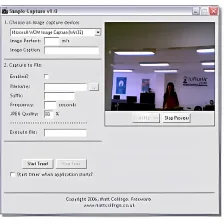
Like the original app, Photo Booth for Windows 7 includes a selection of special effects you can apply to the image on your webcam in real time, and then take a picture of it. Once the picture appears in the camera roll at the bottom of the window, you can save it to the hard drive or share it on Facebook and Twitter straight away.
The good thing about Photo Booth for Windows 7 is that it doesn’t require installation and is very easy to set up. All you need is Adobe Flash Player and a webcam. Then you can start applying effects and taking snapshots of yourself and your friends posing for the webcam.
Though Photo Booth for Windows 7 lacks some features found in the original program – such as background effects, or being able to record video – it’s still one of the best Photo Booth clones for Windows you can find these days.
Photo Booth for Windows 7 is an easy, addictive app with which to have fun with your webcam.




























User reviews about Photo Booth for Windows 7
by YunSeung Ji
great app thanks! need more filter i guess but its okay i like it
by Donovan Jones
its awesome because it better.
is awesome #cool but I like it has more effects windows effects
by Anonymous
This is such a waste of time! Couldn't even get it to respond! .
This is such a waste of time! Couldn't even get it to respond! Don't even bother with it
Pros:
None
Cons:
Doesn't respond
Waste of time More
by Anonymous
Not good.
It's good and does the job! But it looks too old, There's no program files for it so I can't edit it and theme it myself.
Pros: it works!
its photobooth
Cons:
its too old
no way to theme it More
by Anonymous
Softonic isMy favourite. /> More
Thanks for Ur download.
I always wanted use softonic. But Try to check with Photoshop it did not support well.
by Anonymous
i laughed at my pictures.
awesome. besides I laughed at my pictures. this site is awesome
Pros: photo booth
facebook
Cons: i like facebook
i like photo booth More